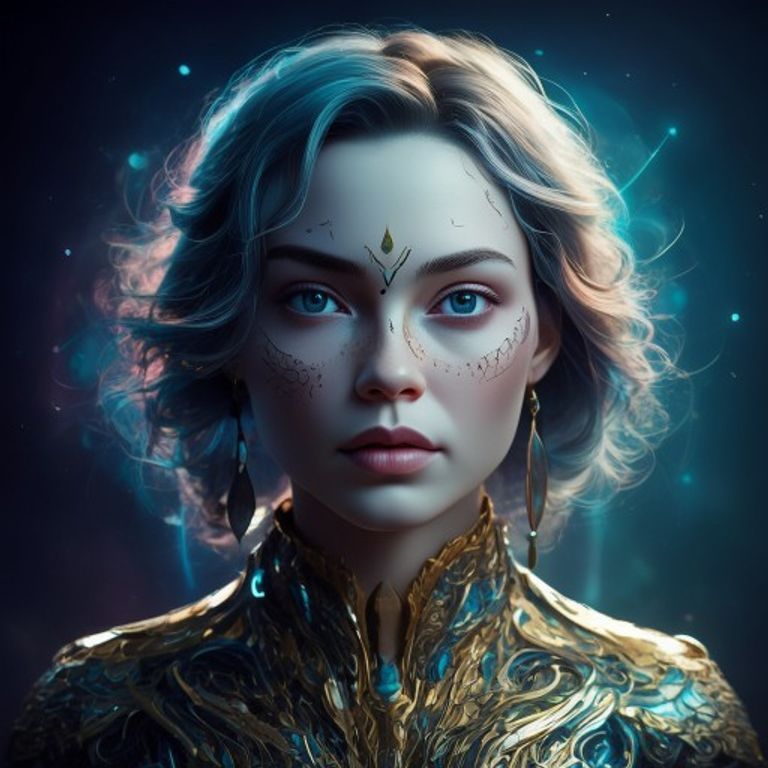
Ever dreamt of bringing your wildest imaginative visuals to life with just a few words? In 2026, the power to create stunning AI art is more accessible than ever, and mastering ChatGPT image prompts is your golden ticket. This isn’t just about typing a few words; it’s about learning the language of AI to unlock breathtaking digital masterpieces. Get ready to transform your creative ideas into tangible art with unprecedented ease.
Understanding the Core of Effective ChatGPT Image Prompts
At its heart, an effective prompt acts as a blueprint for the AI. It guides the generative model, whether it’s Midjourney, DALL-E, or Stable Diffusion, to produce images that align with your vision. Think of it as painting with words. The clearer and more descriptive your instructions, the closer the AI will get to your desired outcome.
Many beginners start with simple phrases like “a dog in a field.” While this works, the results are often generic. To truly craft stunning AI art, you need to go deeper, specifying style, subject, environment, lighting, and even camera angles. It’s about providing context and nuance.
- Actionable Takeaway: Start by identifying the core subject, then layer on details about its environment, mood, and artistic style. Don’t be afraid to be specific!
Anatomy of a Powerful ChatGPT Image Prompt
Deconstructing a successful prompt reveals several key components. Each element plays a crucial role in shaping the final image. By understanding these parts, you can build prompts that are both comprehensive and concise, leading to incredible results.
Here’s a breakdown of essential prompt elements:
Subject & Details
This is the main focus of your image. Describe what you want to see, including any specific characteristics. For example, instead of just “dragon,” try “a majestic ancient dragon, emerald scales, glowing eyes, soaring over mountains.”
Environment & Setting
Where is your subject located? Is it a bustling city street, a serene forest, or a futuristic alien landscape? Details about the background and foreground greatly impact the scene. Consider elements like time of day, weather, and specific landmarks.
Artistic Style & Aesthetics
This is where you define the visual language. Do you want a photorealistic image, a watercolor painting, a pixel art design, or a cyberpunk aesthetic? Specifying styles like “cinematic,” “Baroque,” “anime art,” or “oil painting” will dramatically alter the output. You can even combine styles for unique looks.
Mood & Atmosphere
What feeling do you want to evoke? “Serene,” “chaotic,” “mysterious,” “joyful” – these words can guide the AI in its color palette, composition, and overall emotional tone. Adding descriptors like “dreamlike glow” or “eerie shadows” can enhance the atmosphere.
Technical Specifications
For more advanced users, including technical specs can refine the image further. Think “8K resolution,” “wide-angle lens,” “volumetric lighting,” “depth of field,” or even aspect ratios like “–ar 16:9” for horizontal images. These details mimic professional photography and cinematography.
- Actionable Takeaway: Practice combining these elements. Try a prompt like: “A steampunk owl, intricate gears and brass, perched on a glowing Victorian lamppost, foggy London street at dawn, dramatic chiaroscuro lighting, highly detailed, photorealistic, 4k –ar 3:2.”
Beyond the Basics: Advanced Techniques for ChatGPT Image Prompts
Once you’ve mastered the fundamentals, it’s time to explore advanced techniques that push the boundaries of what you can create. Experimentation is key to discovering new possibilities with ChatGPT image prompts.
- Negative Prompting: Tell the AI what you *don’t* want to see. For example, if you’re generating a character and it keeps appearing with a hat, add “no hat” to your negative prompt. This helps refine and remove unwanted elements.
- Prompt Weighting: Some platforms allow you to assign weight to specific words or phrases, making them more or less dominant in the final image. This can be invaluable for emphasizing certain features.
- Iterative Prompting: Rarely do you get a perfect image on the first try. Use initial results as a starting point, then refine your prompt based on what worked and what didn’t. This iterative process is how most professional AI artists achieve their best work.
- Mixing Concepts: Don’t be afraid to combine disparate ideas. What if a majestic lion was wearing astronaut gear in space? Or a medieval knight was riding a skateboard? The most unique art often comes from unexpected juxtapositions.
Many generative AI models, like Midjourney, continuously evolve, adding new parameters and features. Staying updated with these advancements can significantly enhance your prompting capabilities. Resources like OpenAI’s DALL-E provide insights into the latest in text-to-image generation.
- Actionable Takeaway: Regularly experiment with negative prompts and prompt weighting to gain finer control over your outputs. Track your successful prompt structures!
Troubleshooting Common AI Art Generation Issues
Even with well-crafted ChatGPT image prompts, you might encounter issues like distorted faces, illogical compositions, or unintended elements. Don’t get discouraged; these are learning opportunities.
- Vague Descriptions: If the AI is producing generic results, your prompt might be too broad. Add more adjectives, adverbs, and specific details.
- Conflicting Instructions: Asking for “a dark, cheerful forest” might confuse the AI. Ensure your elements aren’t inherently contradictory unless that’s your specific artistic intent.
- Over-Prompting: Sometimes, less is more. An overly long and complex prompt can dilute the AI’s focus. Try simplifying and highlighting the most important aspects.
- Platform Limitations: Each AI model has its strengths and weaknesses. What works perfectly on one platform might yield different results on another. Familiarize yourself with your chosen generator’s nuances.
The key to overcoming these challenges is consistent refinement and a willingness to iterate. Analyze the generated images, identify what went wrong, and adjust your prompt accordingly.
- Actionable Takeaway: If an image isn’t right, try breaking your prompt into simpler components, or use negative prompts to exclude unwanted features.
The ability to harness ChatGPT image prompts isn’t just a technical skill; it’s a new form of artistic expression. As we look towards 2026 and beyond, this blend of human imagination and artificial intelligence will continue to redefine creativity. By understanding the structure, employing advanced techniques, and diligently refining your inputs, you can generate truly unique and stunning visual art. Embrace the experimental journey, and watch your visions come to life!
For more insights or collaboration opportunities, visit www.agentcircle.ai.
0 Comments