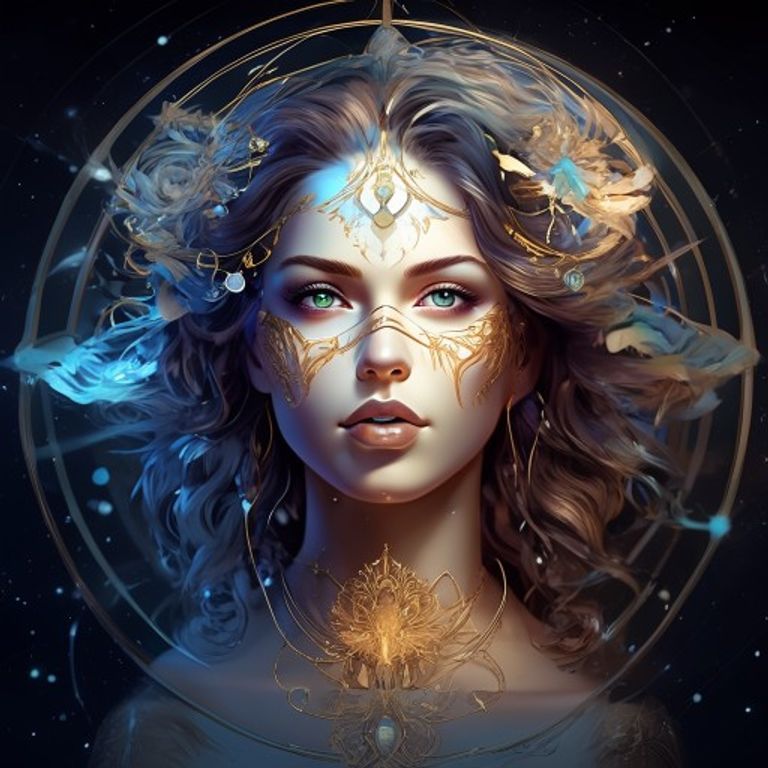
Are you ready to transform your creative visions into stunning visuals with artificial intelligence? Leveraging the power of Gemini AI for image generation is an incredible journey, and understanding how to craft effective Gemini image prompts is your ultimate superpower. It’s not just about typing words; it’s about speaking the language of AI to unlock its full artistic potential.
Understanding the Basics of Gemini Image Prompts
Creating compelling AI art begins with clarity and intent. Think of your prompt as a detailed instruction set for a highly imaginative artist. The more specific and descriptive you are, the closer the AI will get to your desired outcome.
Start with a core subject and then build layers of detail around it. For instance, instead of just “a cat,” try “a regal Siamese cat sitting on a velvet cushion, bathed in warm afternoon sunlight.” This provides the AI with much more to work with, leading to a richer, more nuanced image.
Actionable Tip: Begin with a simple prompt, generate an image, and then incrementally add details or modifiers. Observe how each addition changes the output. This iterative process helps you learn what works best with Gemini.
Key Elements for Powerful Gemini Image Prompts
To truly master AI image generation, you need to understand the components that make up a strong prompt. Each element guides Gemini in a specific way, influencing style, mood, and composition.
- Subject: Who or what is the main focus? (e.g., “an astronaut,” “a futuristic city,” “a lone wolf”)
- Environment/Setting: Where is the subject located? (e.g., “on Mars,” “in a dense enchanted forest,” “underwater”)
- Action/Pose: What is the subject doing? (e.g., “contemplating the stars,” “chasing butterflies,” “leaping over a chasm”)
- Style/Medium: What artistic style should the image emulate? (e.g., “oil painting,” “digital art,” “hyperrealistic photo,” “watercolor,” “anime”)
- Lighting/Mood: How should the scene be lit? What feeling should it evoke? (e.g., “golden hour lighting,” “dramatic chiaroscuro,” “mysterious,” “joyful”)
- Color Palette: Are there specific colors to emphasize? (e.g., “monochromatic blues,” “vibrant pastels,” “earthy tones”)
- Camera Angle/Composition: How should the scene be framed? (e.g., “wide-angle shot,” “close-up portrait,” “from above,” “symmetrical composition”)
Combining these elements effectively allows for highly detailed and aesthetically pleasing results. Experiment with different combinations to see the range of possibilities.
Crafting Detailed Scenarios with Gemini Image Prompts
Don’t be afraid to tell a story with your prompt. Gemini thrives on rich descriptions that paint a vivid picture. Imagine you’re describing a scene to another person who needs to visualize it perfectly.
For example, instead of “a robot in a city,” try: “A melancholic retro-futuristic robot, weathered metal, stands amidst a neon-drenched cyberpunk city at night, reflecting rain puddles. The atmosphere is contemplative, with a cinematic, wide-angle shot.” This gives Gemini a clear direction for every aspect of the image.
Actionable Tip: When you’re stuck, use adjectives and adverbs generously. Think about textures, emotions, and specific visual characteristics. Use synonyms for variety.
Advanced Techniques for Refining Your Outputs
Once you’ve mastered the basics, you can start exploring more advanced techniques to fine-tune your Gemini image prompts. This involves understanding prompt modifiers and how to leverage negative prompting.
- Weighting: Some platforms allow you to assign weight to certain prompt elements, making them more or less dominant. While Gemini’s interface might not explicitly show this, placing important elements earlier in your prompt often gives them more emphasis.
- Negative Prompts: This is a powerful tool where you tell the AI what you don’t want to see. For instance, if you’re getting blurry images, you might add a negative prompt like “blurry, out of focus, distorted.” This helps steer the AI away from undesirable traits.
- Referencing Artists/Styles: Want a specific aesthetic? Try adding “in the style of Van Gogh,” “by Frida Kahlo,” or “Art Deco style.” This can dramatically alter the artistic direction.
- Iterative Refinement: Don’t settle for the first result. Generate multiple variations of your image. Then, pick the best one and use it as a basis for further refinement by adding or removing prompt elements.
Learning prompt engineering is an ongoing process. Keep a journal of your successful prompts and the elements that worked well. This will build your personal library of effective prompts.
Actionable Tip: If your image isn’t quite right, try identifying the single element that’s off and either removing it, changing it, or adding a specific negative prompt for it. Small tweaks can yield big changes.
Common Pitfalls and How to Avoid Them
Even experienced users can fall into common traps when crafting their Gemini image prompts. Being aware of these can save you a lot of frustration and lead to better results faster.
- Vagueness: As mentioned, “a flower” will give you a generic image. “A vibrant, dew-kissed red rose, with intricate petals and lush green leaves, in soft morning light, hyperrealistic” offers far more.
- Over-prompting: While details are good, too many conflicting instructions can confuse the AI. Keep your prompt focused on a few core ideas. If you want too much, break it down into multiple prompts or focus on the most important elements first.
- Ignoring Negative Prompts: If you consistently get unwanted elements (like extra limbs or distorted faces), don’t just keep trying new positive prompts. Actively tell the AI what to avoid.
- Lack of Iteration: Expecting perfection on the first try is unrealistic. AI image generation is an iterative process. Be prepared to tweak, refine, and regenerate.
Remember that AI models are constantly evolving. What works today might be refined tomorrow. Staying curious and experimental is key to mastering these tools.
The journey to mastering Gemini image prompts is an exciting one, full of creative discovery. By understanding the core elements, employing advanced techniques, and avoiding common pitfalls, you can consistently generate stunning AI art that truly reflects your artistic vision. Keep experimenting, keep learning, and watch your imagination come to life.
Explore more AI and automation insights at www.agentcircle.ai
0 Comments